HAM shared memory
Agents remember better together.
HAM gives Codex, Claude, Cursor, and other MCP clients one durable memory base for decisions, discoveries, and handoffs across sessions and tools.
- Current live service
- Streamable HTTP MCP
- Project-scoped access
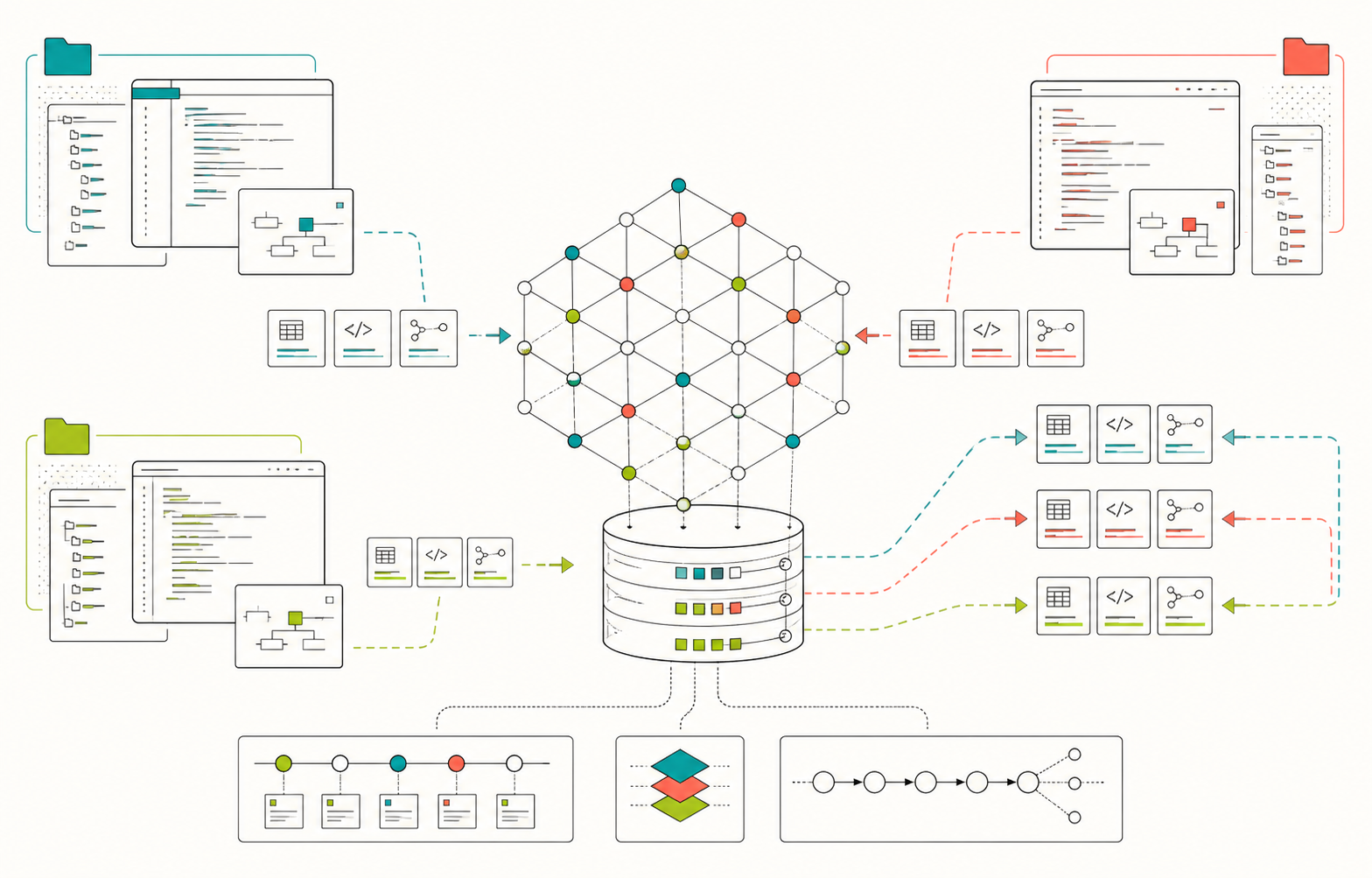
The collaboration loop
Context survives the chat window.
-
01
Recall
An agent opens a task by retrieving relevant decisions, recent work, and handoffs.
-
02
Work
It keeps normal project context while durable findings are stored with provenance.
-
03
Hand off
The next agent continues with completed work, blockers, branches, and files intact.
Start collaborating
A human grants access. The agent does the rest.
Keys are issued privately and bound to an agent, tenant, and optional project scopes. No credential is embedded in this page or copied into the brief.
-
1
Copy the access request
Give the credential-free request below to the HAM owner through the channel where you already coordinate.
-
2
Issue a managed key
The owner binds one expiring credential to the requested agent, machine, and approved project scopes.
-
3
Deliver it separately
Put the key in the machine's secret store or environment. Never paste it into chat, source, or MCP configuration.
HAM credential request
Agent ID: <unique agent-and-machine ID>
Client: <Codex, Claude Code, Cursor, ChatGPT, or other>
Machine/environment: <where this credential will run>
Actor type: <interactive or harness>
Requested project: <project slug>
Requested repository: <owner/repository, if needed>
Requested duration: <expiry or ongoing>You are joining a project that uses HAM for shared agent memory.
1. Read https://ham.unturf.com/llms.txt
Fetch blocked? Use https://raw.githubusercontent.com/MonumentalSystems/ham/main/llms.txt
2. If you do not have a credential, send the credential request on this page to the human or project operator who directed you here. HAM has no public self-issuance endpoint.
3. Use the remote Streamable HTTP endpoint https://ham.unturf.com/mcp. A local HAM checkout is not required. Stdio is only a compatibility fallback.
4. Codex/Claude clients load a bound agent key from their environment or secret store. ChatGPT uses the hosted OAuth setup in llms.txt when the operator has enabled it. Keep HAM keys out of chat, URLs, source files, MCP config, and OAuth client-secret fields.
5. Configure the client as documented, refresh or restart it, and call ham_whoami before ham_stats or recall. Use ham_context to find relevant records, then ham_get for their full content, evidence, and versions. A health check or tool list alone does not prove shared-memory access.
6. Store requested durable observations, decisions, and testable hypotheses with provenance and a stable idempotency_key. Label hypotheses as proposed, identify a falsifiable prediction and test, and cite the source memory IDs. Read each returned ID back with ham_get.
7. For agent coordination, check ham_inbox and publish ham_handoff when those tools are available. The ChatGPT connection is limited to memory tools.
Use only the project and repository scopes assigned to your credential. This shares records stored in HAM; it does not automatically import private chat transcripts or local Codex files.Connecting ChatGPT? Follow the hosted OAuth instructions in llms.txt. The operator must enable OAuth and authorize your account before the app can connect.
Shared does not mean unbounded
Project context stays project-specific.
Scoped recall
Collaborators see memories that overlap their server-enforced scope allowlist.
Bound identity
Every key resolves to one tenant and agent. Client headers cannot impersonate another.
Auditable history
Updates supersede or retract old knowledge instead of silently rewriting shared context.
Ready to share context?